The holiday season is one of the busiest and most profitable times of the year for many businesses. But it can also be the most confusing time for your customers if your hours aren’t clear, updated, or consistent across online platforms.
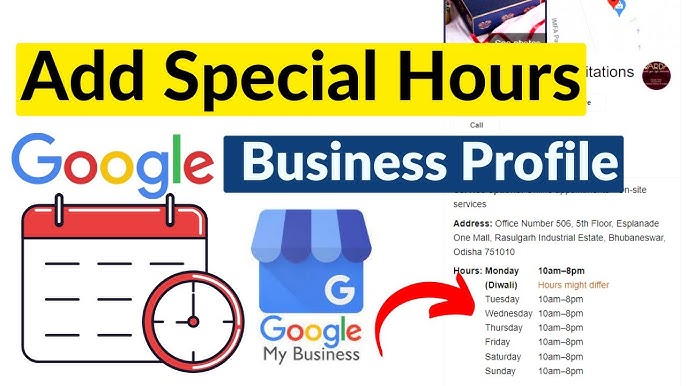
That’s where the Google Business Profile (GBP) Special Hours feature becomes your secret weapon.
Whether you’re closing early, staying open late, pausing services, or running holiday promotions, updating your special hours ensures customers know exactly when you’re available, and Google rewards you with stronger local visibility.
This article walks you through how to use the feature correctly, why it impacts your local ranking, and how it ties back to scaling your business, especially if you’re considering outsourcing your marketing. (For more on that, visit your pillar post: Ready to Scale? Why Outsourcing Your Marketing Might Be the Smartest Move for Your Business in 2025.)
Why Updating Your Special Hours Matters for Local SEO
Google has confirmed that accurate business information is one of the top ranking factors for appearing in the local map pack.
When your hours reflect reality, especially during holidays, your business benefits from:
- Better visibility in “open now” searches
- Higher trust signals
- Reduced bounce and bad-review risk
- Greater foot traffic and call volume
- A more professional brand presence
Think about how many times you’ve searched “open restaurants near me” or “open now”.
If your business operates in Waterloo, Kitchener, Cambridge, Guelph, or anywhere in Ontario, keeping hours updated can determine if you’re chosen, or skipped. This is especially important when competing with dozens of other businesses nearby.
Best Practices for Maximizing Visibility With Special Hours
1. Update Early
Don’t wait until the last minute. Updating 1–2 weeks ahead gives Google time to index the changes.
2. Match Your Hours Across All Platforms
Inconsistency hurts trust and ranking.
Ensure hours match on:
- Website
- Social media
- Yelp
- Bing Places
- Directories
3. Add Holiday Posts to Your GBP
Posts help your profile stay active. Examples:
- “Holiday sale now live!”
- “We’re open extended hours this weekend.”
- “Closed for staff retreat on Jan 3rd.”
4. Add Holiday Service Notes
Use the “About” section to clarify how operations change during the holidays. Example: “Deliveries may take 24–48 hours longer during the holiday period.”
5. Turn on Messaging for Faster Customer Support
Customers browsing during holidays often prefer messaging over calling.
6. Upload Holiday Photos or Graphics
According to Google’s data, businesses with photos receive 42% more requests for driving directions and 35% more clicks through to their websites than businesses that don’t have photos. Use holiday-themed visuals signal freshness and activity.
Moonstone Digital helps businesses across Waterloo and Kitchener improve their local SEO, boost visibility, and manage their entire digital presence, from GBP to ads, content, automation, and analytics.
Explore our services: https://moonstonedigital.ca/services